

Once logged in to LiveControl - Click on your name in the top right hand corner. Then select Account Settings
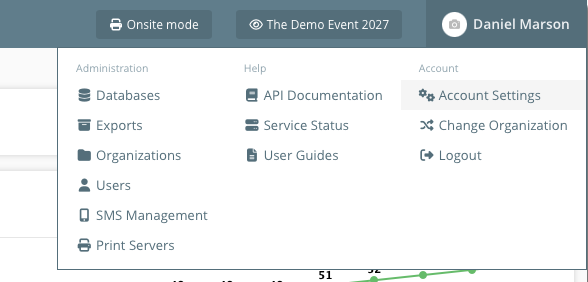 Account settings
Under 'Additional configuration' append any new IP addresses required to the IP Allow List
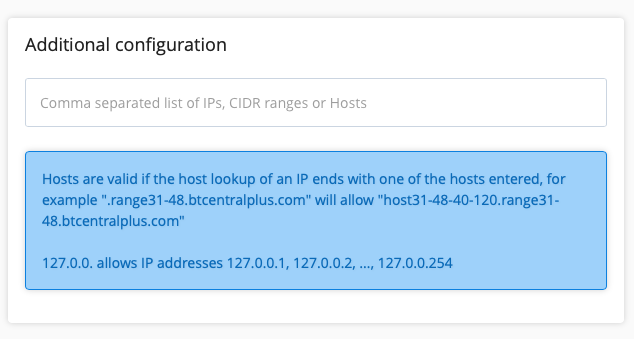 Account settings IP allow list
You will need to enter your current password in the yellow box at the bottom to save changes.
If you have any further queries or just need a helping hand with your account, send an email to: