LiveControl manages unsubscribes on three different levels, a Customer can choose to opt out of marketing emails sent from LiveControl by click the unsubscribe link on any email. They will see the following menu:
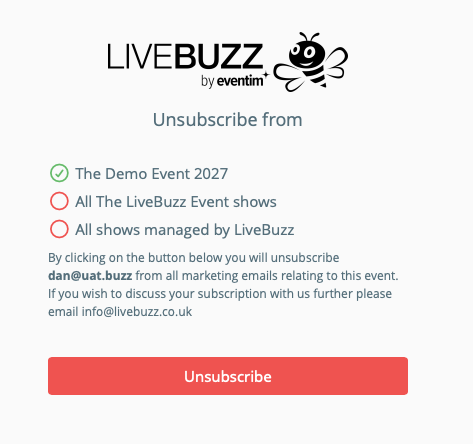
This menu offers unsubscribes at three different levels.
1) This Campaign - This years edition of the event - 'The Demo Event 2027'
2) This Channel - This series of events - 'The LiveBuzz Event' - Could be 2026, 2027, 2028
3) The Organisation - All shows managed by the organiser, all channels/series, all campaigns.
Unsubscribes can be exported from LiveControl, to do this go to your organisation dashboard / gateway. To do this, go to any event dashboard where you see the registration stats, and click on the organisation in the breadcrumb trail near the top, below the LiveControl logo:
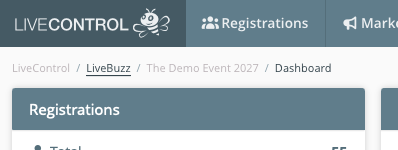
In this example LiveBuzz is the organiser of a series of events, this second link in the breadcrumb trail takes you to the organisation dashboard / gateway:
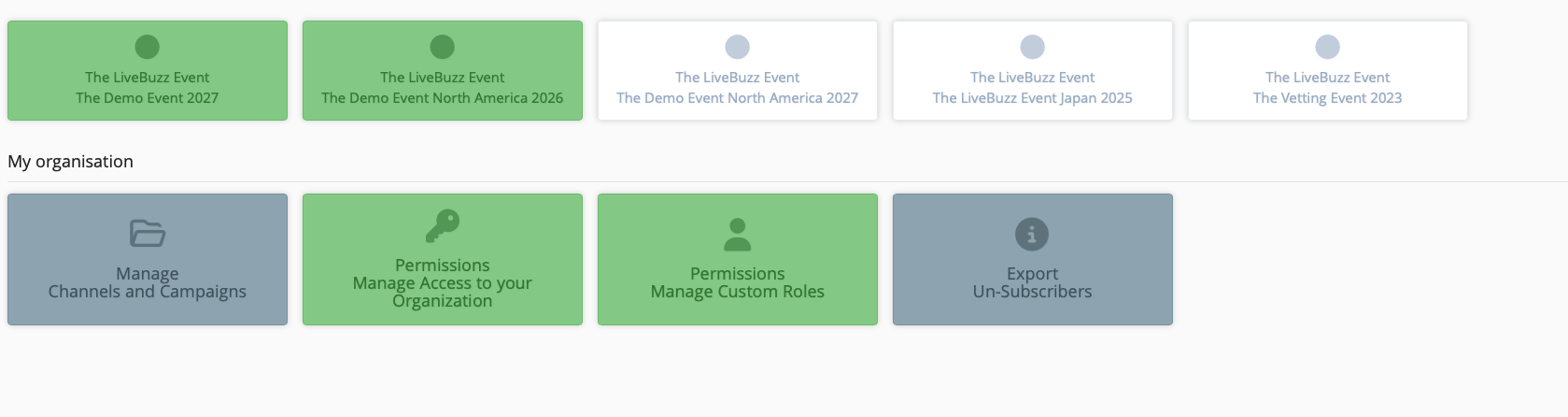
From here, click on Export Un-Subscribers
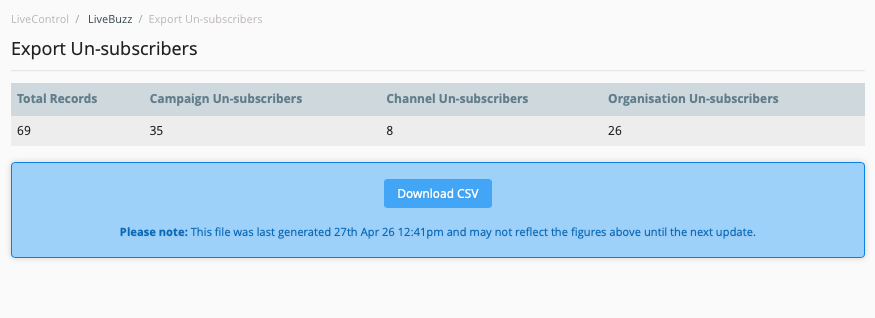
You will first be shown a summary of unsubscribes, which can then be downloaded to CSV using the download button: