

When viewing an open order, you may edit it by removing items.
Click the white box on the left hand side of the item you can't fulfil and hit the red 'Reject' button.
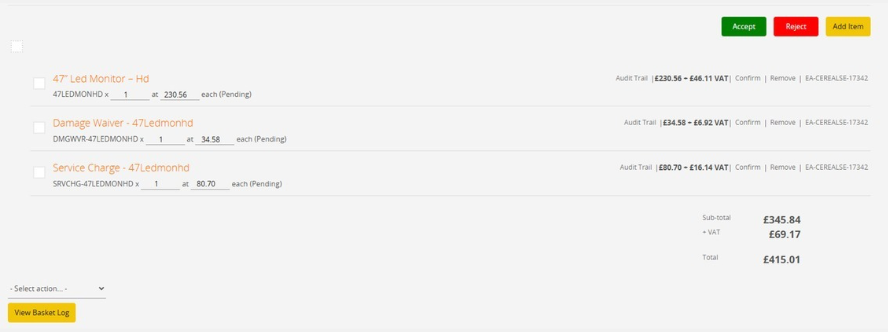 Editing an order
Warning
If the order has been check out by the exhibitor, you should NOT add items to an order if the exhibitor has already checked out. This will invalidate the orders by increasing its order total to an amount higher than they have authorised to be debited from their card.
THIS WILL RESULT IN A FAILED PAYMENT AND REQUIRE MANUAL INTERVENTION TO REBUILD THEIR BASKET AND RE-CHECKOUT.